Give
Give
Giving is one of the ways that we express our love for God. Your generosity enables us to create meaningful avenues to love and bless others.
Join us and be a part of the mission of seeing More People, More Like Jesus.
Give to:
Giving Mode:
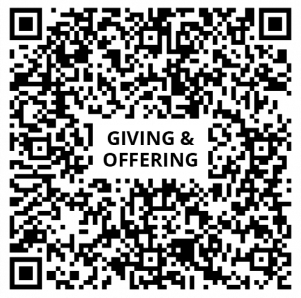
PayNow QR Code
- Launch your bank app and select “Scan [& Pay]”.
- Scan QR code shown on the right.
- Login to bank app to enter the amount you wish to give and submit accordingly.
*If prompted, you may write “Bukit Batok or Tanglin” in the UEN/Bill Reference No.
PayNow UEN
1. Launch your bank app and login.
2. Select "Paynow"
-
- Select "Paynow to UEN"
- Enter the UEN CODE shown on the right
3. Enter the amount you wish to give and submit accordingly.
*If prompted, you may write “Bukit Batok or Tanglin” in the UEN/Bill Reference No.
Recipient:
Grace Assembly of God
UEN:
S61SS0171E001
Internet Banking
- Login to your iBanking app
- Select Pay & transfer
- Select local transfer
- Select “Grace Assembly of God” on your payee list
- Enter the amount you wish to give
- Tap submit / transfer now
- Add note/comment: Bukit Batok or Tanglin
You will have to add Grace Assembly of God as a payee before you can make a transfer
Account Name:
Grace Assembly of God
Bank: DBS
Account Number: 0060047424
Bank Code: 7171
Branch Code: 006
Giving Mode:
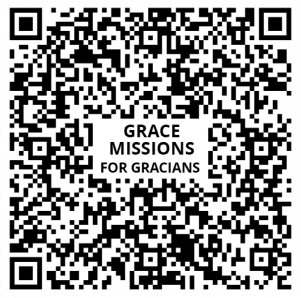
PayNow QR Code
- Launch your bank app and select “Scan [& Pay]”.
- Scan QR code shown on the right.
- Login to bank app to enter the amount you wish to give and submit accordingly.
*If prompted, you may write “Bukit Batok or Tanglin” in the UEN/Bill Reference No.
PayNow UEN
1. Launch your bank app and login.
2. Select "Paynow"
- Select "Paynow to UEN"
- Enter the UEN CODE shown on the right
3. Enter the amount you wish to give and submit accordingly.
*If prompted, you may write “Bukit Batok or Tanglin” in the UEN/Bill Reference No.
Recipient:
Grace Missions
UEN:
S61SS0171E002
Internet Banking
1. Login to your iBanking Website.
2. Add “Grace Missions” as a funds transfer payee.
3. Fill in the bank details.
Account Name:
Grace Missions
Bank: DBS
Account Number: 0060003753
Bank Code: 7171
Branch Code: 006
Giving Mode:
PayNow QR Code
- Launch your bank app and select “Scan [& Pay]”.
- Scan QR code shown below.
- Login to bank app to enter the amount you wish to give and submit accordingly.
*If prompted, you may write “Bukit Batok or Tanglin” in the UEN/Bill Reference No.
PayNow UEN
1. Launch your bank app and login.
2. Select "Paynow"
-
- Select "Paynow to UEN"
- Enter the UEN CODE shown below
3. Enter the amount you wish to give and submit accordingly.
*If prompted, you may write “Bukit Batok or Tanglin” in the UEN/Bill Reference No.
Recipient:
Grace Assembly of God
UEN:
S61SS0171E001
Internet Banking
- Login to your iBanking app
- Select Pay & transfer
- Select local transfer
- Select “Grace Assembly of God” on your payee list
- Enter the amount you wish to give
- Tap submit / transfer now
- Add note/comment: Bukit Batok or Tanglin
You will have to add Grace Assembly of God as a payee before you can make a transfer
Account Name:
Grace Assembly of God
Bank: DBS
Account Number:
0060047424
Bank Code: 7171
Branch Code: 006
Giving Mode:
PayNow QR Code
- Launch your bank app and select “Scan [& Pay]”.
- Scan QR code shown below
- Login to bank app to enter the amount you wish to give and submit accordingly.
*If prompted, you may write “Bukit Batok or Tanglin” in the UEN/Bill Reference No.
PayNow UEN
1. Launch your bank app and login.
2. Select "Paynow"
- Select "Paynow to UEN"
- Enter the UEN CODE shown on the right
3. Enter the amount you wish to give and submit accordingly.
*If prompted, you may write “Bukit Batok or Tanglin” in the UEN/Bill Reference No.
Recipient:
Grace Missions
UEN:
S61SS0171E002
Internet Banking
- Login to your iBanking app
- Select Pay & transfer
- Select local transfer
- Select “Grace Missions” on your payee list
- Enter the amount you wish to give
- tap submit / transfer now
- Add note/comment. Bukit Batok or Tanglin
You will have to add Grace Missions as a payee before you can make a transfer
Account Name:
Grace Missions
Bank: DBS
Account Number:
0060003753
Bank Code: 7171
Branch Code: 006
Give via Cash
Offering Boxes in Church
You may drop your cash or cheques for your giving and offering, or missions giving, into our offering boxes at our church campuses. For missions giving, Gracians may use the Grace Missions envelopes provided next to the offering boxes.
Give via Cash
Offering Boxes in Church
You may drop your cash or cheques for your giving and offering, or missions giving, into our offering boxes at our church campuses. For missions giving, Gracians may use the Grace Missions envelopes provided next to the offering boxes.
Grace@Tanglin
Grace@BukitBatok
Please contact the Church at 64100800 during office hours or email to church@graceag.sg if you need any assistance or clarification.